
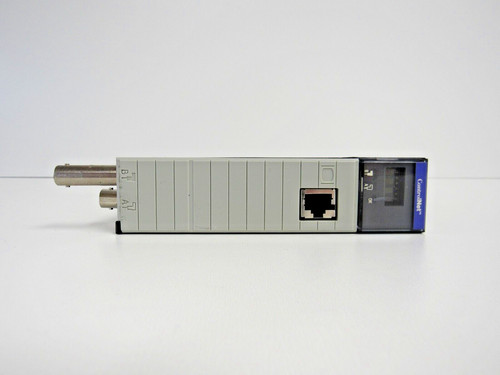
The Allen-Bradley 1756-CN2R is a high-performance ControlNet Communication Bridge module designed for the ControlLogix platform. This module enables seamless communication between devices on a ControlNet network, supporting both redundant and non-redundant media. Engineered for industrial reliability, this component facilitates high-speed data transfer for control and diagnostic information across Allen-Bradley automation systems.
Technical Specifications
Product Name: Allen-Bradley 1756-CN2R Firmware Version: 6.10 Module Type: ControlNet Communication Bridge Dimensions: 14.5 cm x 9.8 cm x 13.1 cm Weight: 0.35 kg Country of Origin: United States Communication Rate: 5 Mbps Interface: Dual BNC connectors for redundant media Power Consumption: 5V DC @ 1.2A; 24V DC @ 60mA
Configuration and Parameter Modification
Parameter configuration for the 1756-CN2R is managed within the Studio 5000 Logix Designer or RSLogix 5000 environment. To modify parameters: right-click the module in the I/O configuration tree and select “Properties.” Within the “Connection” or “Configuration” tabs, you can adjust the Requested Packet Interval (RPI), network update times, and redundancy options. After modifying the settings, you must perform a project download to the controller to apply the new parameters to the bridge module.
Manual and Automatic Mode Switching
The 1756-CN2R does not have a manual/auto physical switch; it operates based on the configuration defined in the PLC project. It transitions to an “Active” state automatically once it detects a valid ControlNet signal and receives a valid network schedule from the Controller or the Keeper. If you need to force a transition or restart the module, this is managed via the “Module Info” tab in the software by triggering a “Reset” or “Re-initialize” command.
Emergency Shutdown (ESD) Operation
In an emergency situation involving a ControlNet network, the 1756-CN2R will typically enter a “Faulted” or “Comm Fail” state if the network backbone is severed or compromised. To perform an emergency shutdown, power must be cut to the control chassis or the ControlNet network power supply. Always ensure that your system logic includes “Fail-Safe” states for all I/O modules, which will be triggered automatically when the 1756-CN2R loses communication with the master controller.
Frequently Asked Questions
Q: What does the “Network Access” LED indicate? A: A solid green LED indicates that the module has successfully joined the network and is communicating, while a flashing red/green state often indicates a cable fault or a scheduling conflict. Q: Is the 1756-CN2R compatible with older ControlNet hardware? A: Yes, it is backward compatible with most legacy ControlNet modules, but performance is limited by the slowest node on the network. Q: How do I know if the redundancy is working correctly? A: Check the “Redundancy” tab in the module properties; if both channels A and B show “Healthy,” your redundant media is functioning as intended.
Recommended Similar Models
-
Allen-Bradley 1756-CN2 (Non-redundant version)
-
Allen-Bradley 1756-CNB (Standard ControlNet Bridge)
-
Allen-Bradley 1756-CNBR (Redundant ControlNet Bridge)
-
Allen-Bradley 1756-EN2T (EtherNet/IP Communication Module)
-
Allen-Bradley 1756-DNB (DeviceNet Scanner Module)

