
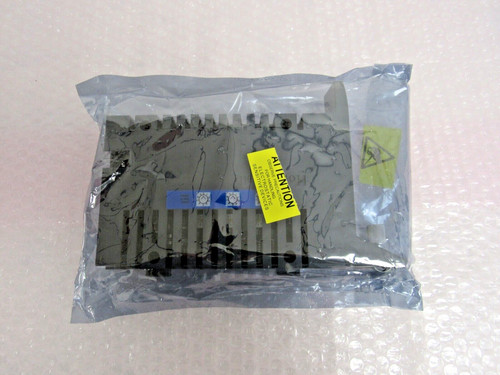
The Honeywell 51454307-100 Rev A is an EHPM (Ethernet High-Performance Process Manager) FTE (Fault Tolerant Ethernet) Interface Module. This module is a critical component in Honeywell’s Experion PKS architecture, serving as a gateway that enables seamless communication between the C300 controller and the wider plant network. The “FTE” designation ensures that the module supports redundant, high-speed data transmission, providing the high availability and fault tolerance required for mission-critical industrial control operations.
Technical Specifications
| Parameter | Specification |
| Model | 51454307-100 (Rev A) |
| Type | EHPM FTE Interface Module |
| Protocol | Fault Tolerant Ethernet (FTE) |
| Compatibility | Experion PKS C300 Controller Series |
| Connectivity | Dual redundant RJ45 ports for network redundancy |
| Operating Temperature | -40°C to +70°C |
| Weight | Approx. 0.5 kg |
| Country of Origin | USA / Mexico |
Operating Procedures
Pre-Installation Check:
Ensure the EHPM cabinet is powered down before installation. Verify that the FTE network cables are properly labeled and that the communication switch ports are configured to support the required VLAN or network settings for the Experion system. Inspect the module’s gold-plated pins for any signs of oxidation or damage.
Power-On Sequence:
-
Securely seat the module into the designated I/O or controller chassis slot.
-
Tighten the retaining screws to ensure proper grounding to the chassis backplane.
-
Apply power to the chassis. The module will undergo a boot-up sequence and self-diagnostic check.
-
Monitor the status LEDs on the front panel; a successful startup is indicated by a steady green “Status” LED, while active FTE communication is indicated by flashing activity lights on the RJ45 ports.
-
Verify network connectivity through the Experion Station or Control Builder software to confirm the module is “Online” and communicating with the control server.
Power-Off Sequence:
-
Use the Control Builder software to decommission or set the module to “Maintenance Mode” to prevent false alarm triggers in the server.
-
Disconnect the FTE network cables.
-
Power down the chassis or carefully eject the module if the system supports hot-swapping under your specific plant safety procedures.
Frequently Asked Questions (Q&A)
What is the specific role of the “FTE” in this module?
FTE (Fault Tolerant Ethernet) is Honeywell’s proprietary network technology. It allows the module to send data over two physically separate network paths simultaneously. If one network path or switch fails, the EHPM continues communication over the secondary path without any loss of data or interruption to the control loop.
Why does the model end with “MODIFIED”?
The “MODIFIED” tag usually indicates a specific hardware revision or factory-applied change from the base 51454307-100 model. This could involve enhanced shielding, updated firmware compatibility, or specific board-level components necessitated by the Revision A manufacturing cycle. Always verify compatibility with your existing modules if you are replacing only one unit in a redundant pair.
Can this module be used as a standalone controller?
No, the EHPM is an interface/bridge module. It works in conjunction with the C300 controller and other I/O modules to facilitate network traffic. It does not execute control logic on its own but acts as the high-speed communication backbone for the process manager.
Recommended Similar Models
-
Honeywell 51454307-175 (Enhanced EHPM Module)
-
Honeywell 51454307-500 (High-Speed FTE Interface)
-
Honeywell CC-PFB801 (PROFIBUS Interface Module)
-
Honeywell 51454209-100 (FTE Bridge Module)
-
Honeywell 51454307-200 (Redundant FTE Interface)

