
¥99,999.00 Original price was: ¥99,999.00.¥1,588.00Current price is: ¥1,588.00.
This image and price are not for reference. If you need to inquire, please contact me!
🌍Country of origin: USA France Germany Estonia Norway UK
⌚Delivery date: in stock
🛠After-sales service: brand new with one year warranty
⚙️ Product Category: Module/Controller/Server/Motor/Touch Screen
🕰Warranty: 12 months/365 days
☎️ Please contact me: 15359029662 Ms. Amy Sun
📎Chinese official website: www.dcsplcabb.com
📩Email: geabbamy@gmail.com
💬Whatsapp: +86 15359029662
If you have any products that you cannot find, you can consult anytime.


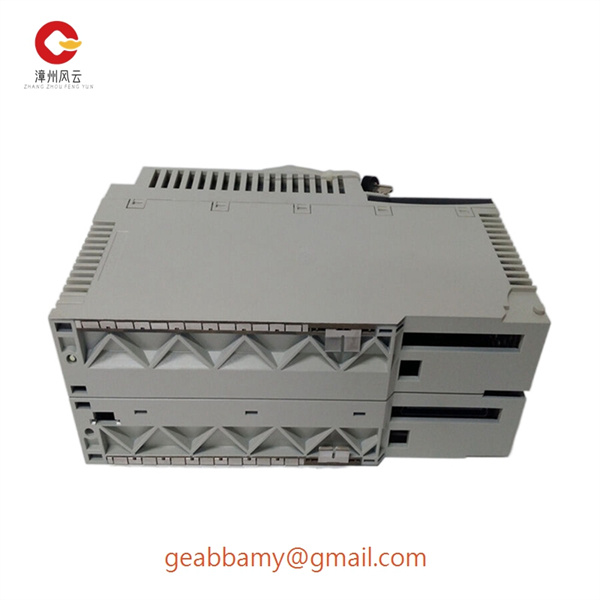
Model: 07DC92
Part Number: GJR5252200R0101
Brand: ABB
Series: AC31 / Advant Controller 31
Core Function: Provides 32 configurable digital input/output channels.
Product Type: Digital Input/Output Module
Key Specifications: 32 digital configurable I/Os, 24 V DC, CS31 Slave
Communication: ABB CS31 fieldbus
Mounting: DIN rail, TH35-7.5 or TH35-15
Supply Status: Seller-refurbished listing
Stock: Confirm availability
Warranty: Confirm with supplier
Shipping From: China, according to the supplied listing
Manufacturer: ABB
Model: 07DC92
Order Number: GJR5252200R0101
Product Name: Digital Input/Output Module
I/O Configuration: 32 digital configurable I/Os
Rated Supply Voltage: 24 V DC
Fieldbus Interface: CS31 Slave
Communication Bus: ABB CS31
Protection Rating: IP20
Operating Temperature: 0 to +55 °C
Storage Temperature: -25 to +75 °C
Cable Cross-Section: 0.08 to 1.5 mm²
Mounting: DIN rail, TH35-7.5 or TH35-15
Maximum Operating Altitude: 2,000 m
Net Weight: Approximately 0.3 kg
Country of Origin: Germany, according to ABB product information
Product Condition: Seller refurbished, according to the listing
The 07DC92 has 32 configurable digital channels. Do not confuse it with a conventional 32-output-only card; its configurable I/O function is an important part of its specification.
discount-automation.com+1
In legacy manufacturing plants, replacing an I/O module is not always as simple as matching the number of channels. The replacement must also support the existing bus architecture, signal wiring, and PLC configuration.
The ABB 07DC92 addresses applications requiring configurable digital I/O across an established CS31 control network. It allows engineers to retain the existing field wiring and control architecture when maintaining compatible AC31 installations.
1. Manufacturing Automation – Machine Control
Handles digital signals associated with machine operating states, interlocks, and control commands.
2. Industrial Production Lines – Distributed I/O
Connects field-level digital signals to a central controller through the ABB CS31 bus.
3. Process Automation – Equipment Monitoring
Supports digital signal acquisition and control for pumps, valves, motors, and auxiliary equipment.
4. Legacy PLC Maintenance – AC31 Systems
Provides a spare module for installations where replacing the entire PLC platform would require unnecessary engineering work.
5. Industrial Equipment Retrofit
Supports maintenance projects where existing field wiring and cabinet arrangements need to remain in service.
Illustrative engineering scenario, not a documented customer installation.
A manufacturing facility experiences intermittent digital signal failures on an older ABB AC31 control system.
The maintenance engineer notices that several field signals are no longer updating correctly. Rather than immediately replacing the controller, the engineer isolates the affected I/O module.
The troubleshooting process includes:
Checking the 24 V DC process supply.
Reviewing CS31 communication diagnostics.
Measuring selected field input signals.
Checking output circuits and connected loads.
Comparing the original module’s configuration.
Installing a verified replacement and testing the affected channels.
The result is a targeted hardware replacement instead of an unnecessary controller migration.
ABB provides a documented modernization option for the original 07DC92 through the AC31 adapter range.
| Model | Part Number | Function | Compatibility |
|---|---|---|---|
| 07DC92 | GJR5252200R0101 | Original 32-channel configurable I/O | Original model |
| 07DC92-AD | 1SAP800500R0010 | AC31 adapter module, 32DC | Migration option |
library.e.abb.com+1
Retains the original AC31 hardware arrangement.
Uses the CS31 fieldbus.
Provides 32 configurable digital I/O channels.
Requires verification of the original wiring and configuration.
ABB documents the 07DC92-AD as an AC500 adapter for the previous 07DC92 module.
Important differences:
All channels share the same electrical potential; there is no group isolation.
Maximum input current is 2 mA per channel.
Maximum combined output current is 8 A.
No local test button is provided.
Only basic diagnostics are supported.
The adapter is intended for supported ABB AC31 master applications. ABB specifically warns that it cannot operate with third-party controllers.
library.e.abb.com+1
Engineering recommendation: If the existing installation uses GJR5252200R0101, the original 07DC92 is the preferred replacement. Consider 07DC92-AD only after checking the controller platform, signal requirements, electrical isolation, and wiring arrangement.
| Fault Symptom | Possible Cause | Module Relevance | Quick Check | Recommended Action |
|---|---|---|---|---|
| All digital inputs inactive | 24 V DC supply failure | High | Measure process supply | Check supply and protection fuse |
| Multiple outputs unavailable | Output supply or overload | High | Check output power and connected loads | Inspect power distribution |
| CS31 communication failure | Bus wiring or addressing problem | Medium | Inspect bus connections and diagnostics | Verify network configuration |
| Individual input not detected | Field wiring or channel fault | High | Measure signal at the input terminal | Check sensor and wiring |
| Output does not switch | Load fault or output-stage damage | High | Test with an approved load | Inspect channel and connected circuit |
| Intermittent signal changes | Loose terminals or electrical interference | Medium | Inspect connections and shielding | Correct wiring and grounding |
1. Verify the 24 V DC Supply
Use a multimeter to measure the process voltage at the designated supply terminals.
Compare the reading with the rated 24 V DC supply.
Check the protective fuse and power distribution.
Inspect the 0 V reference connection.
2. Check CS31 Communication
Inspect the fieldbus cable and terminal connections.
Review the controller’s diagnostic information.
Confirm that the module is recognized by the master.
Check the configured station address and network arrangement.
Do not assume a communication fault automatically means the I/O module has failed. Bus wiring and master configuration should be checked first.
3. Test Digital Inputs
Identify the affected input channel from the wiring diagram.
Measure the field signal at the corresponding terminal.
Compare the electrical state with the controller’s input status.
Inspect the connected sensor and cable.
4. Test Digital Outputs
Verify the output supply voltage.
Check the connected actuator, relay, or contactor coil.
Confirm that the PLC program is issuing the expected output command.
Check for short circuits and excessive load current.
Always isolate hazardous loads before performing continuity or resistance measurements.
5. Verify Replacement Configuration
Before installing another 07DC92:
Confirm the complete part number.
Photograph the original terminal connections.
Record the CS31 configuration.
Compare the channel assignments.
Verify the electrical characteristics of connected field devices.
Follow the approved shutdown and replacement procedure.
For a refurbished ABB 07DC92, the following inspection process is recommended.
1. Incoming Inspection
Verify the ABB nameplate and GJR5252200R0101 part number.
Check serial numbers and identification labels.
Inspect terminals, connectors, and circuit-board condition.
Look for corrosion, oxidation, cracks, and previous repair marks.
2. Functional Testing
Use a compatible ABB AC31 test setup.
Check power-up behavior.
Inspect module status indicators.
Verify CS31 communication with a compatible master.
Test configurable digital input channels.
Test digital output channels using suitable loads.
Record any failed or abnormal channels.
3. Electrical Testing
Verify the 24 V DC supply circuit.
Check terminal continuity.
Inspect grounding and reference connections.
Test output switching under appropriate conditions.
Avoid applying insulation-test voltages directly to sensitive electronics.
4. Configuration Verification
Record the module identification and hardware revision.
Document channel assignments.
Check the original system configuration.
Photograph terminal arrangements before shipment.
5. Final Quality Control
Complete the inspection report.
Confirm the actual functional test results.
Package the module in an antistatic bag.
Add protective cushioning and a suitable carton.
Attach a QC inspection label with the inspection date.
Test photographs and videos can be supplied when available. The report should reflect the actual tests performed on the individual unit.
The ABB 07DC92 is a legacy AC31 configurable digital I/O module, not simply a generic AC500 output card.
Before purchasing, I would check three things first:
Is the installed controller an ABB AC31 master using CS31?
Does the existing module carry the complete part number GJR5252200R0101?
Do the existing field signals require the same configurable I/O and electrical characteristics?
Getting these details right can prevent an expensive mismatch during commissioning.